


INVESTOR RELATIONS
How to Use the IR Website
The Investor Relations section provides information on the Group's management strategy, business performance, stocks and bonds, as well as financial results materials.
This page explains how to navigate the IR website and introduces its useful features, so that first-time visitors can easily find the information they need.
Below are the pages we recommend viewing first, depending on your interests.
New to Tokyu Fudosan Holdings
An easy-to-understand introduction to the Group's businesses and strengths.
Stock and Dividend Information
Stock-related information, including dividends and the General Meeting of Shareholders.
Financial Results and Performance
Financial results, presentation materials and other IR information.
View a list of all pages in the Investor Relations section.
If you come across an unfamiliar term, please refer to the Related Glossary, which explains IR-related terminology.
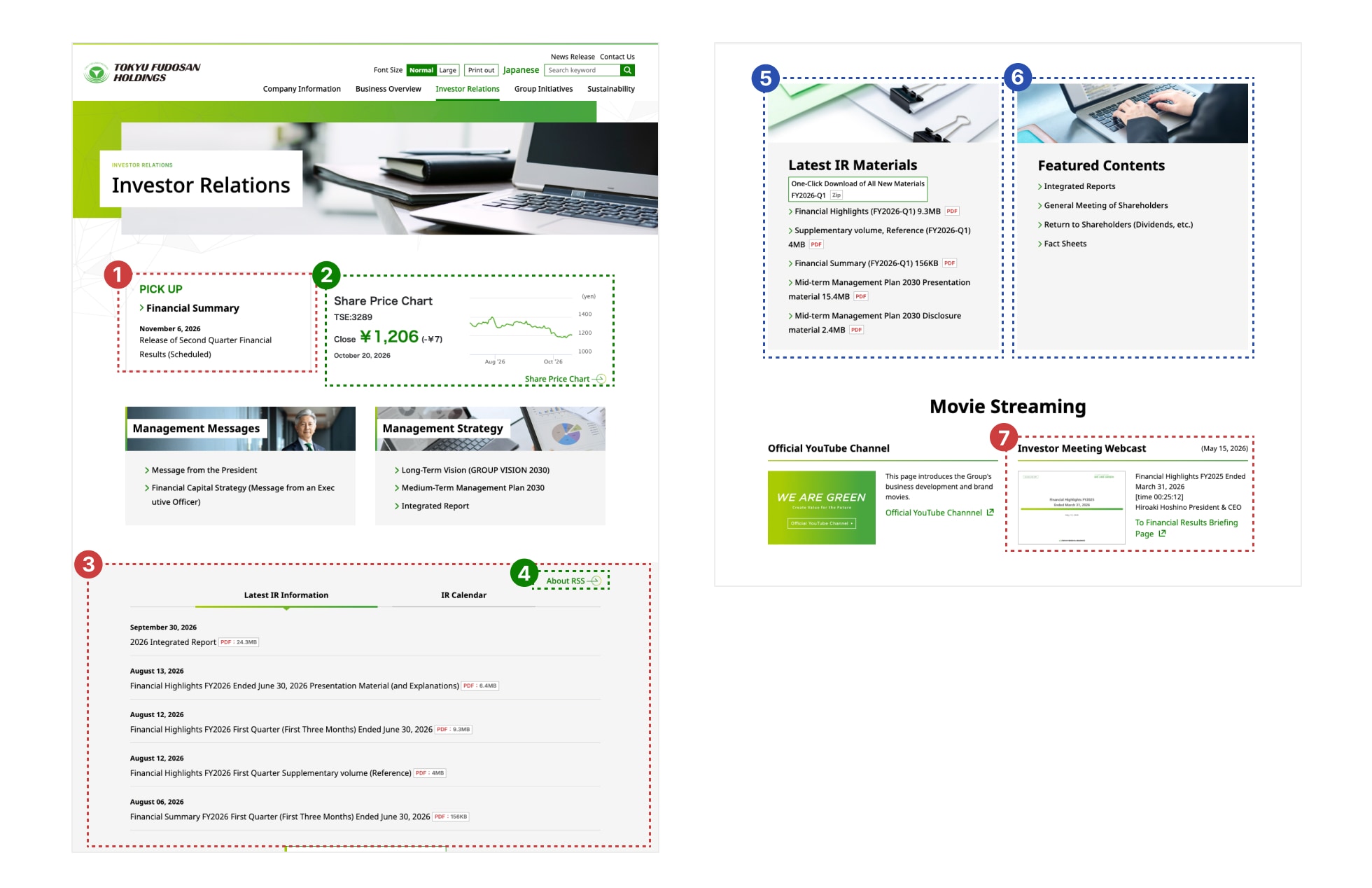
The IR top page brings together frequently viewed information and useful features. The main items are explained below, following the numbers.
-
Latest Financial ResultsAccess the most recent financial summary and presentation materials directly from the top page.
-
Share Price ChartView the trend of our share price. You can switch the display period.
-
Latest IR Information / IR CalendarThe latest IR information is listed in order of release. Schedules for financial results announcements, the General Meeting of Shareholders and other events can be found in the IR Calendar.
-
RSS FeedRegister the feed with an RSS reader to receive new IR information automatically.
-
One-Click Download All Latest IR MaterialsDownload the latest key materials all at once.
-
Featured ContentsHighlights content we especially recommend, such as the Integrated Reports and shareholder return information.
-
Investor Meeting WebcastWatch videos of our financial results briefings.
On the Share Price Chart page, you can select the period to display.
Below are the basic operations to get started.

-
Share Price OverviewDisplays the current share price, change from the previous day, trading volume and more. The information is updated with the day's closing price and trading volume.
-
Switching the Display PeriodSelect a chart period such as 1 month, 1 year or 10 years, or specify a date range.
-
Reading the ChartHover the cursor over any point on the chart to display the share price for that day.
-
Viewing Disclosure MaterialsThe share price chart is linked with timely disclosure materials, allowing you to check when each disclosure was made alongside the share price movement at that time.
Share price information is provided by a third party and may differ from actual trading prices.
Displayed content may change due to changes in the provider's specifications.
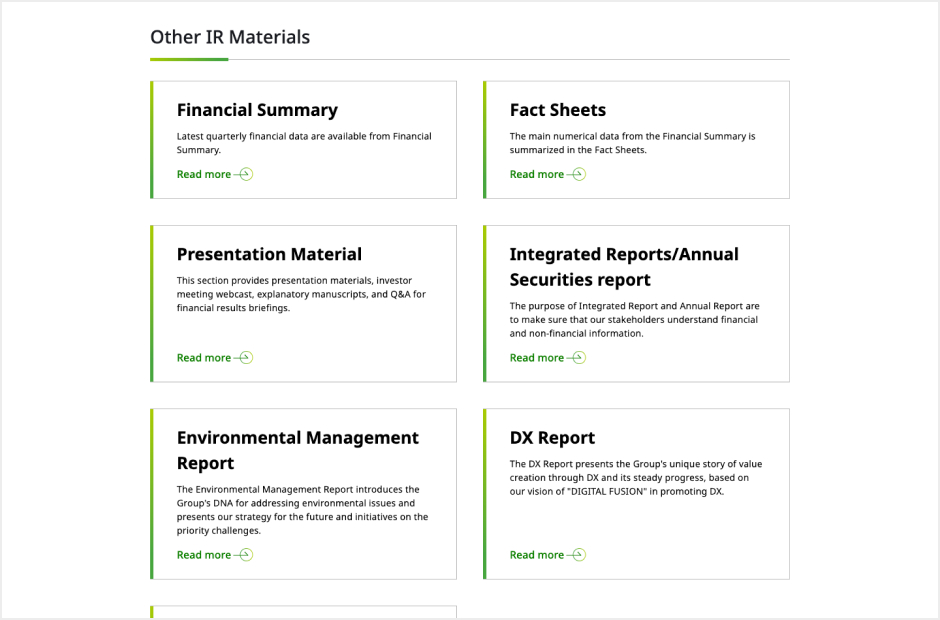
In IR Documents, you can search for materials by document type and fiscal year.
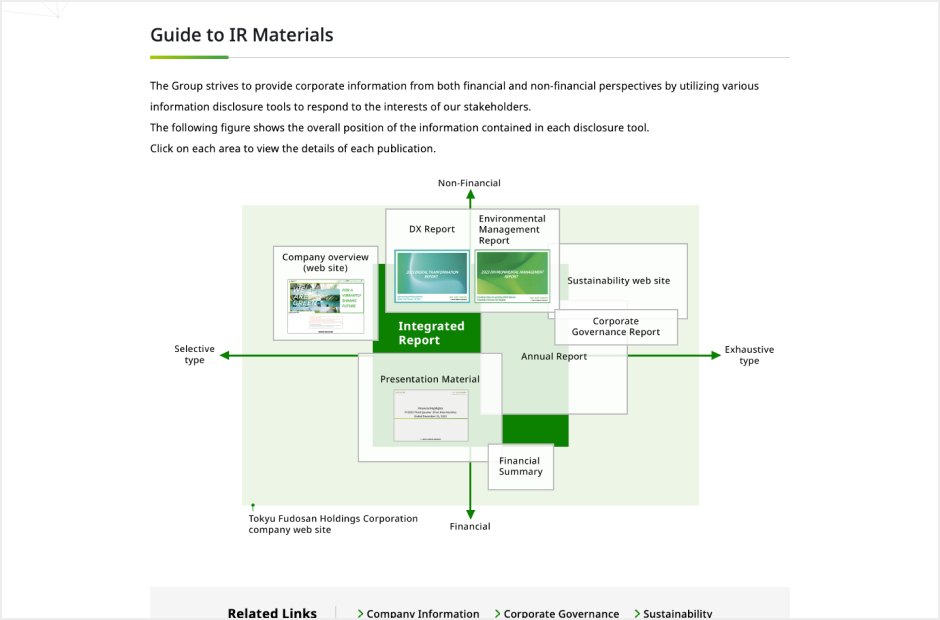
If you are unsure which materials to refer to, please see the Guide to IR Materials, which explains the purpose of each document and recommends materials for each type of stakeholder.
You can receive new timely disclosure information by email and RSS.
IR News Service
We will notify you by email when timely disclosures are published.
- Open the registration form
- Enter your email address, name and other details
- Click the Submit button
RSS Feed
If you use an RSS reader, please register the address below to automatically receive updates on news releases.
https://xml.irpocket.com/3289/XML/release-enall-latest-12m.rdf
For instructions on using your RSS reader, please contact its provider.
The content of the feed is subject to change without notice.
The feed may not display correctly in some browsers.
Schedules for financial results announcements and the General Meeting of Shareholders are available in the IR Calendar.
The website offers the following features to help you find the information you need.

Site Search
Search the entire website by keyword.
Font Size
Switch the body text between two sizes.
Not available on smartphones

Print Out
Print the current page in a print-friendly layout.
Not available on smartphones

Language Switch
Go to the corresponding page on the Japanese website.
Some content is available in Japanese only

Breadcrumbs
Shows where the current page is located within the website. You can also use it to move to higher-level pages.
Information that applies to the entire website, such as icons and marks and the recommended environment, is provided in "How to Use the Website." The Investor Relations pages follow the same rules, so please refer to "How to Use the Website" for details.
Icons and Marks
A list of marks indicating link types, such as new window, PDF, Excel and video.
Recommended Environment
Supported operating systems and browsers, and the use of JavaScript and cookies.
Viewing Files
Software required to view PDF and Excel files.
Disclaimers and Copyright
Notes on the handling of information published on this website.
Notes specific to the use of IR materials are provided in the Guide to IR Materials.
On smartphones, pages are displayed in a layout adapted to the screen width.
Open and close the menu using the button at the top of the screen.
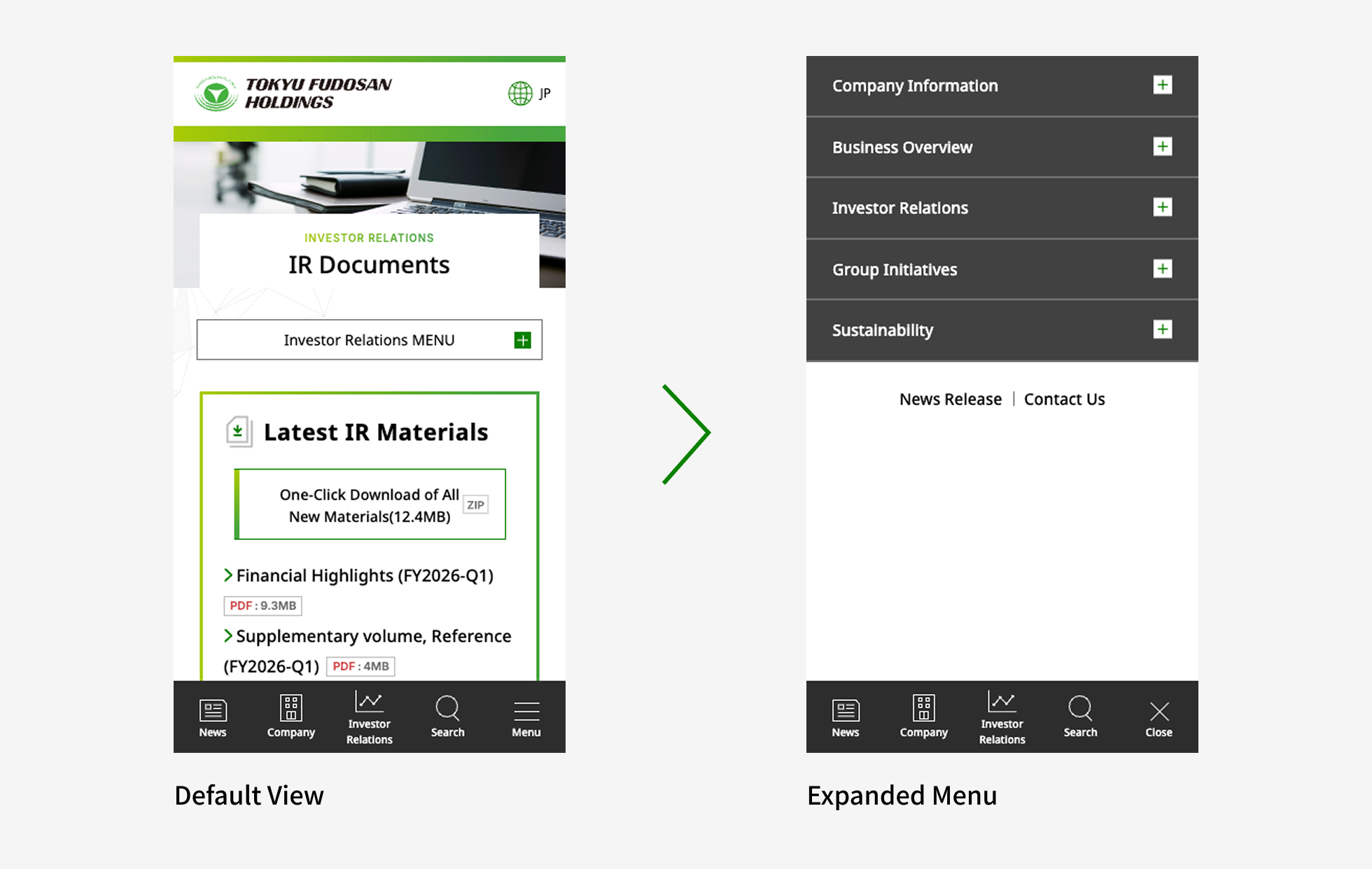
The font size and print functions are not available on smartphones.
Some materials are best viewed on a PC.
Updated : October 27, 2026